Advertisement

About Neon Glow Studio

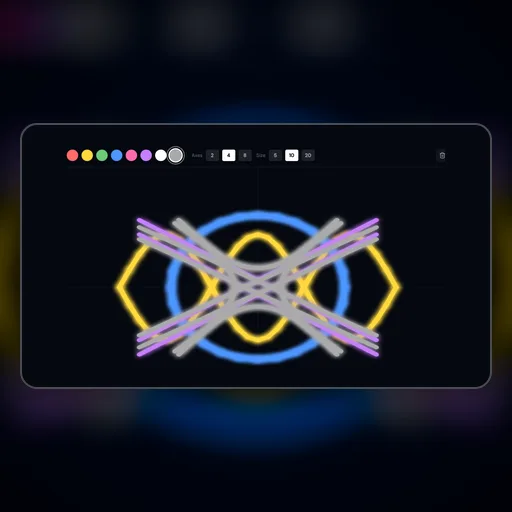
Neon Glow Studio is a digital art canvas where every stroke you draw emits photorealistic luminescent glow — painted lines cast actual light on the surrounding canvas pixels, creating the visual quality of neon signs on a dark background. Unlike most drawing tools that simply change stroke color, Neon Glow Studio simulates the optical bloom effect of real neon lighting through a post-processing algorithm that calculates light falloff from each stroke based on its color temperature and opacity. The result is that simple gestures produce strikingly professional-looking artwork, making digital art creation feel genuinely magical for non-artists.

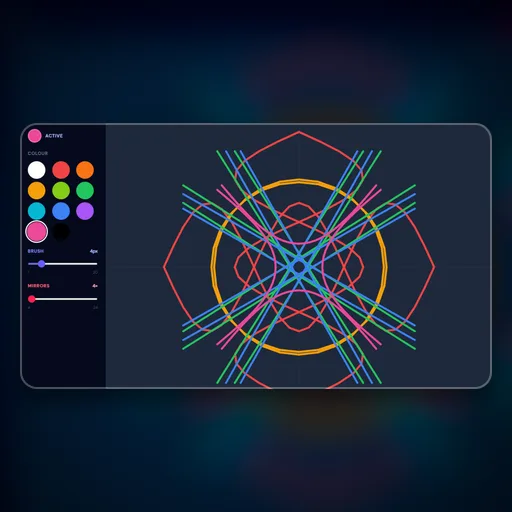
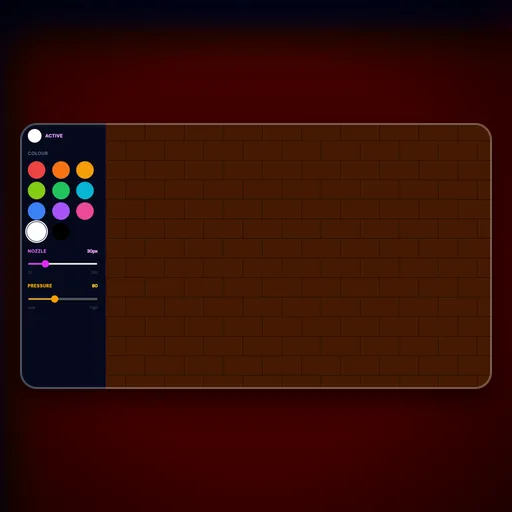
How Neon Glow Studio works: A dark canvas is your drawing surface. Select a vivid neon color from the palette. Draw freely with your mouse or finger — lines glow brightly. Adjust the brush size and glow intensity using the sliders. Create glowing neon art — let your imagination shine!

Neon Glow Studio runs directly in your browser using modern HTML5 Canvas and JavaScript — no plugins, installations, or account registrations ever required. Touch-friendly controls provide a seamless experience on smartphones and tablets, while keyboard and mouse support gives desktop players precise control. Your scores and progress are automatically saved in your browser's local storage.

Category
Creative
Platform
Web Browser
Cost
100% Free
Multiplayer
Single Player

🎮
How to Play Neon Glow Studio

  1. 1A dark canvas is your drawing surface.
  2. 2Select a vivid neon color from the palette.
  3. 3Draw freely with your mouse or finger — lines glow brightly.
  4. 4Adjust the brush size and glow intensity using the sliders.
  5. 5Create glowing neon art — let your imagination shine!

What Makes Neon Glow Studio Stand Out

  • Neon Glow Studio provides professional-quality creative tools optimized for browser-based digital art creation
  • Full color palette with eyedropper, gradient, and custom color mixing capabilities
  • Layer-based creation system — work on different elements without disturbing completed sections
  • Export your finished creations as image files to share anywhere you like
  • Undo/redo history with 50+ steps so experimentation never feels risky
  • Touch drawing support on mobile devices with pressure-sensitivity simulation

💡
Tips & Strategies for Neon Glow Studio

  • Start Neon Glow Studio sessions with a specific concept or constraint in mind — complete creative freedom produces less interesting results than working within a defined idea.
  • Explore every available tool before committing to a technique — many creative game tools have non-obvious combination effects that become your most powerful assets once discovered.
  • Use the principle of visual hierarchy: establish a clear focal point first, then add supporting elements — viewers' eyes need a place to land before exploring the rest of your composition.
  • Iterate rather than perfecting — create a complete rough version first, then refine. Trying to perfect individual elements before finishing the whole leads to abandoned projects.
  • Step back periodically and view your creation at a distance or smaller scale — what looks good up close often has composition or balance issues that only appear when you see the full picture.

Frequently Asked Questions About Neon Glow Studio

Is Neon Glow Studio free to play?

Yes, Neon Glow Studio is completely free on NexusPlay — no hidden fees, subscriptions, or in-app purchases. The platform is supported by non-intrusive Google AdSense ads that allow every game to remain free forever.

Can I play Neon Glow Studio on my phone or tablet?

Absolutely. Neon Glow Studio is fully responsive and includes touch controls designed for mobile screens. You can play comfortably on any modern smartphone or tablet without needing to download an app.

Do I need to create an account to play?

No account or signup is ever required. Click the game and start playing immediately. Your scores and progress are automatically saved in your browser's local storage and persist between sessions.

Can I save and export my creations from Neon Glow Studio?

Yes — finished artworks in Neon Glow Studio can be exported as PNG image files that you can save, print, or share anywhere. Your in-progress work is also auto-saved locally so you can return to any creation across sessions.

Do I need any artistic skill to enjoy Neon Glow Studio?

No prior art experience is necessary. Neon Glow Studio is designed with tools that produce satisfying results for complete beginners — the constraints and helpers built into the interface guide you toward aesthetically pleasing outcomes regardless of skill level.

Editor's Note:

Neon Glow Studio is part of our curated collection of high-quality web games. We strive to bring you the best gaming experience without the clutter of forced logins or intrusive popups. New games are added regularly, so bookmark us and check back often!

Advertisement